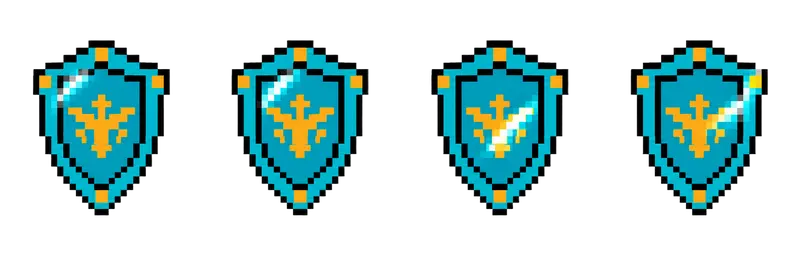
Pixel Shield Shine Sprite Sheet
A crested kite shield with a glint of light sweeping across its face, good for loot drops and equipment slots. 4 frames in a single row, 200×267 px per cell (800×267 PNG, transparent background).
Settings
- Image size
- 800 × 267
- Grid
- 4 × 1
- Cell size
- 200×267
- Frames
- 4
How to use the Pixel Shield Shine Sprite Sheet
Equipment drops need to look valuable, and a glint of light does that job. This crested kite shield has a highlight that sweeps across its face, a quick signal that the item is worth picking up.
The file is an 800×267 transparent PNG with 4 frames in a single row. Each cell is 200×267 pixels, the same frame size as the chest, potion and coin strips in this gallery.
Slice it into 4 columns and 1 row at 200×267. In Unity, use Grid By Cell Size in the Sprite Editor. In Godot, add frames from the sheet with 4 horizontal and 1 vertical. In Phaser, load it with frameWidth 200 and frameHeight 267. A shine works best when it does not play constantly: loop it with a pause, for example play the 4 frames at about 10 frames per second and then hold the first frame for a second or two before the next glint.
Use it as a loot drop after a fight, an item on a shop shelf, an equipment slot icon, or a reward for finishing a quest. The same trick works for rarity: play the glint more often on rare drops, or tint it gold for legendary gear. If your game needs a matching sword or helmet, the generator can draw them in the same style with a short description.