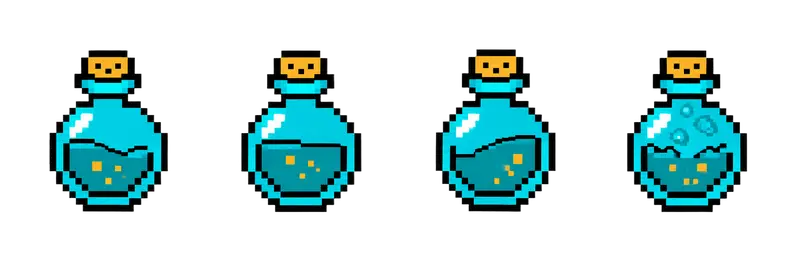
Pixel Potion Bottle Sprite Sheet
A corked round flask whose liquid sloshes and bubbles, an animated pickup for health or mana. 4 frames in a single row, 200×267 px per cell (800×267 PNG, transparent background).
Settings
- Image size
- 800 × 267
- Grid
- 4 × 1
- Cell size
- 200×267
- Frames
- 4
How to use the Pixel Potion Bottle Sprite Sheet
This corked round flask has liquid that sloshes and bubbles inside it, which turns a static item into a pickup players notice. It is the standard health or mana potion, animated so it catches the eye on the ground or in a shop window.
The PNG is 800×267 pixels with a transparent background and holds 4 frames in a single row. Each cell is 200×267 pixels, matching the chest, shield and coin strips in this gallery.
Slice it into 4 columns and 1 row at 200×267. In Unity, use Grid By Cell Size in the Sprite Editor. In Godot, add frames from the sheet with 4 horizontal and 1 vertical. In Phaser, load it with frameWidth 200 and frameHeight 267 and loop frames 0 to 3. A gentle loop around 6 to 8 frames per second keeps the bubbling calm; faster looks like the potion is about to boil over.
Recolor it in code to get more potions from one sheet: red for health, blue for mana, green for poison or stamina. A simple hue shift or a tint on the sprite is enough. Use it as a floor pickup, a shop item, an icon in an inventory slot (use the first frame there if you want it still), or a quest item the player has to carry back to a witch. It also makes a good reward inside the treasure chest.