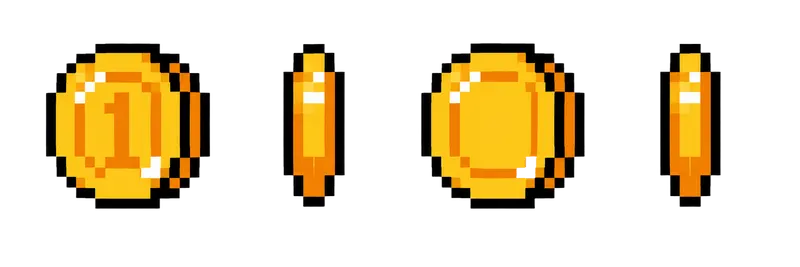
Pixel Gold Coin Spin Sprite Sheet
A gold coin turning from face to edge and back, the loop every platformer needs for collectibles. 4 frames in a single row, 200×267 px per cell (800×267 PNG, transparent background).
Settings
- Image size
- 800 × 267
- Grid
- 4 × 1
- Cell size
- 200×267
- Frames
- 4
How to use the Pixel Gold Coin Spin Sprite Sheet
Every platformer needs a coin, and every coin needs to spin. This gold coin turns from its face to its edge and back in a smooth loop, the collectible that players recognize without any explanation.
The PNG is 800×267 pixels with a transparent background and holds 4 frames in a single row. Each cell is 200×267 pixels, the same frame size as the chest, potion and shield strips, so your loot uses one import setting.
Slice it into 4 columns and 1 row at 200×267. In Unity, use Grid By Cell Size in the Sprite Editor. In Godot, add frames from the sheet with 4 horizontal and 1 vertical. In Phaser, load it with frameWidth 200 and frameHeight 267 and loop frames 0 to 3. Coins usually spin quickly, around 10 to 12 frames per second. The cell is large, so scale the sprite down to fit your tile grid, with filtering turned off to keep the edges sharp.
When you place many coins in a row, start each one on a different frame so they do not spin in perfect sync; it looks more natural. On pickup, hide the sprite and play a small sparkle or a score pop. The coin also works as a currency icon in a shop, a score counter in the HUD (use the first frame there) or a reward that bursts out of the treasure chest.