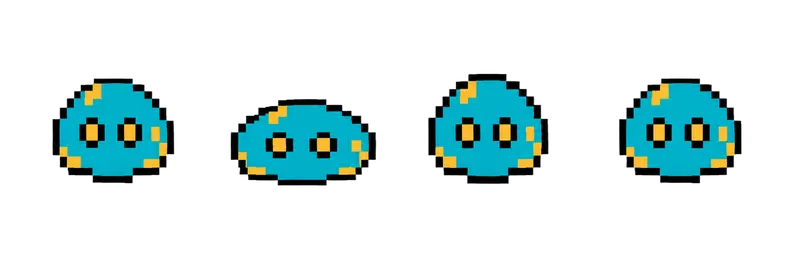
Pixel Slime Squish Sprite Sheet
A round slime squashing flat and springing back, the simplest looping enemy or pet you can drop into a prototype. 4 frames in a single row, 200×267 px per cell (800×267 PNG, transparent background).
Settings
- Image size
- 800 × 267
- Grid
- 4 × 1
- Cell size
- 200×267
- Frames
- 4
How to use the Pixel Slime Squish Sprite Sheet
The slime is the simplest enemy you can put in a game, and that is exactly why it is useful. This round slime squashes flat and springs back up in a loop. It reads instantly, it needs no directional art, and it works as a first enemy, a pet or a bouncing obstacle.
The file is an 800×267 transparent PNG with 4 frames in a single row. Each cell is 200×267 pixels, the same cell size as the other creature and item strips in this gallery.
Slice it into 4 columns and 1 row. In Unity, use Grid By Cell Size at 200×267. In Godot, add frames from the sheet with 4 horizontal and 1 vertical. In Phaser, load it with frameWidth 200 and frameHeight 267 and loop frames 0 to 3. Around 8 frames per second gives a lively squish; slow it down for an idle slime and speed it up just before it hops.
A common trick is to sync movement to the squash: move the slime forward only on the frames where it springs up, and it will look like it is hopping instead of sliding. Tint the sprite in code to make green, blue and red variants with different stats from the same sheet. Put three slimes in the first room of a prototype and you already have something to fight.